Version 8.0: Routes, Offline Maps and QNH from the Airfield
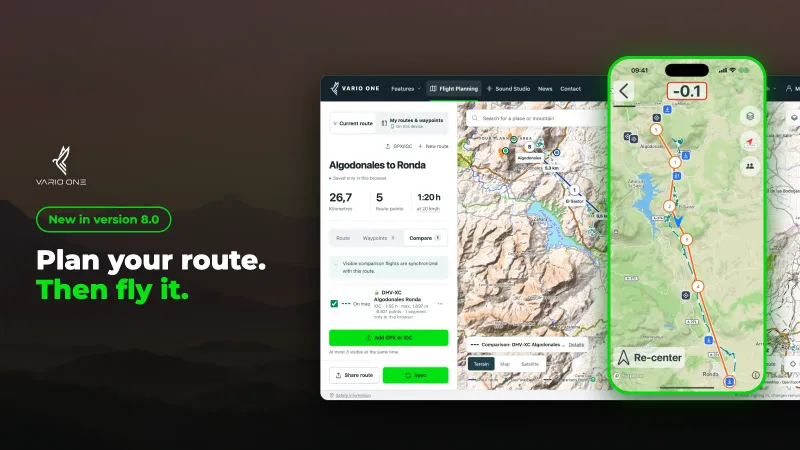
Vario One 8.0 is here, for iPhone and Android. The update connects two things that used to be separate: you prepare your flight at your laptop, then find the plan on the map in the app.
Plan your route in the browser, find it in the app
You plan as before with our free XC flight planner on vario-one.com. Set turnpoints, mark landing fields and lay a real flight from XContest or DHV-XC next to your route for comparison. The new part comes after that: your route, waypoints and up to three visible comparison flights now reach the app.
How to get your planning onto your phone:
- Plan your route in the web planner.
- Create a free account and turn on route sync in the planner.
- Open Vario One 8.0 and sign in with the same account.
You then find your planning on the map under the map layers, in the “My planning” section. There you can show or hide the route and the waypoints separately.
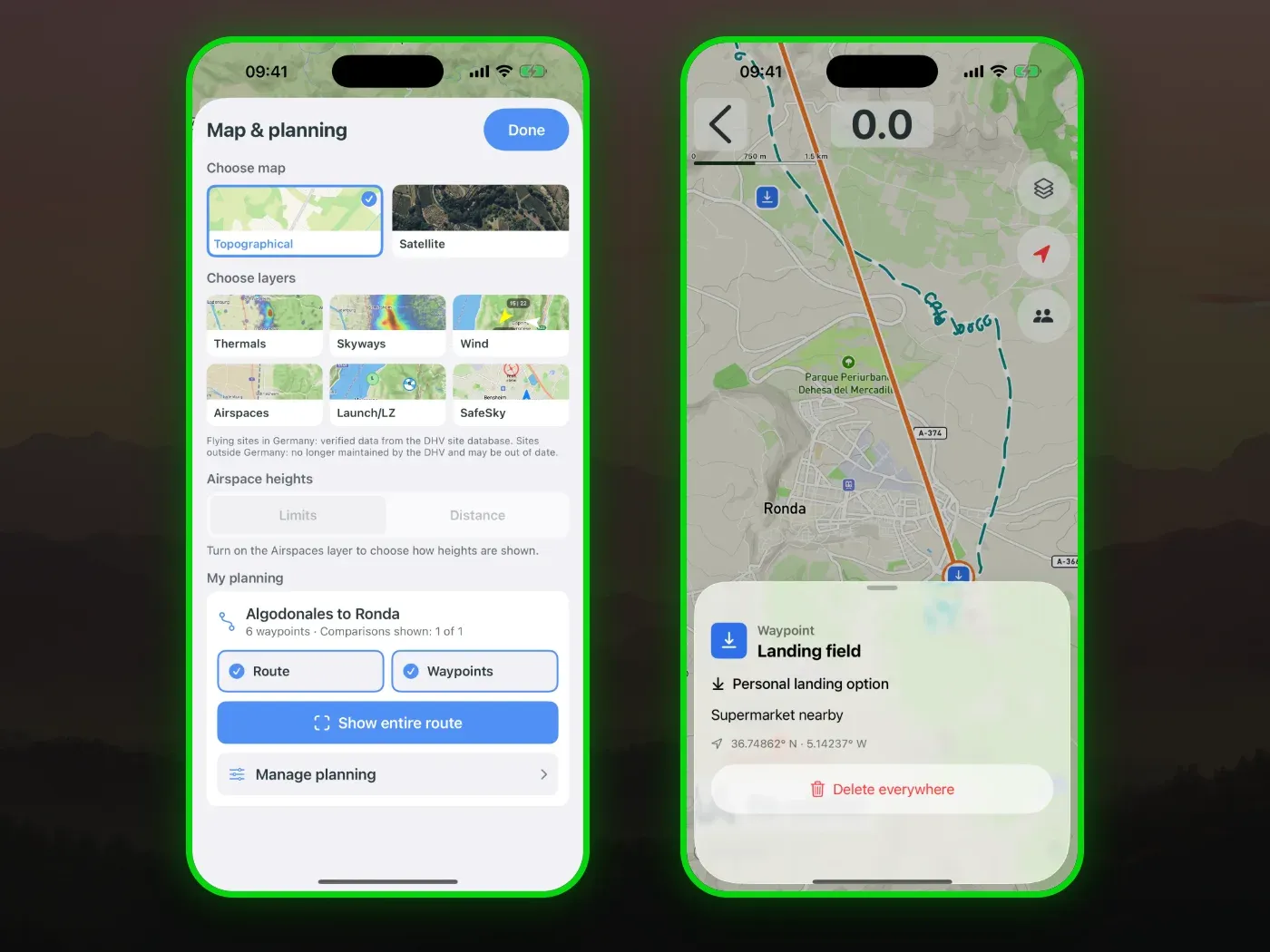
Planning and the account stay free. To see your planning on the map in the app, you need the paid version of Vario One.
The web planner article explains how comparison flights, FAI triangles and QR code sharing work in the planner.
Offline map along your route
Cross-country flights often take you where the signal ends. So you can now download the map along your route before you fly. The app saves the map area around the route with 20 km of reserve on each side and tells you roughly how much storage it needs first.
It’s best to download the map the evening before, on Wi-Fi. Live data such as wind, SafeSky and Buddy Flying still need a connection in flight.
QNH from the nearest airfield
The app can now take the QNH automatically from the METAR weather report of the nearest airfield, up to 150 km away. This matters most for airspace limits given as flight levels.
In flight you can see how current the value is. Airfields only publish their report every 30 to 60 minutes, so an age of “19 min ago” is normal. Without internet, the last loaded QNH stays in place.
More notices in flight
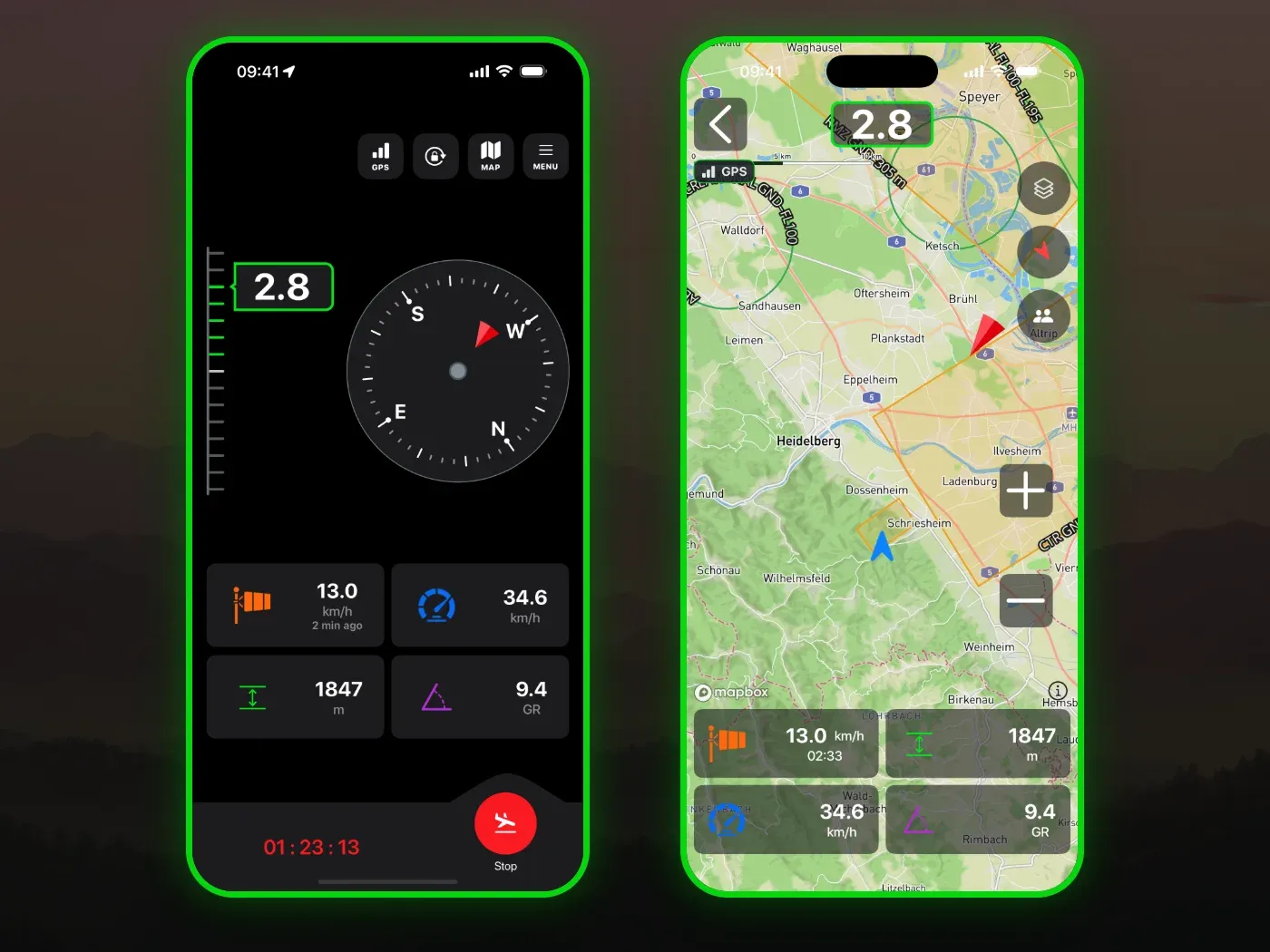
Vario One now tells you more clearly when something is wrong:
- Airspace data is missing or hasn’t been updated for more than 28 days
- The QNH is old
- The sound is muted
By default, the app downloads the airspace data for your country automatically as soon as it has internet.
Also new is the GPS field with signal bars in the button row. You can read more about the warnings themselves in the airspace warning article.
New terms of use and privacy policy
New terms of use and a new privacy policy apply with this update.
Update now
Get the update on the App Store or Google Play and plan your next route in the web planner.
Before every flight, check the route, weather, airspace, terrain and local rules yourself. The data shown may be incomplete or out of date.