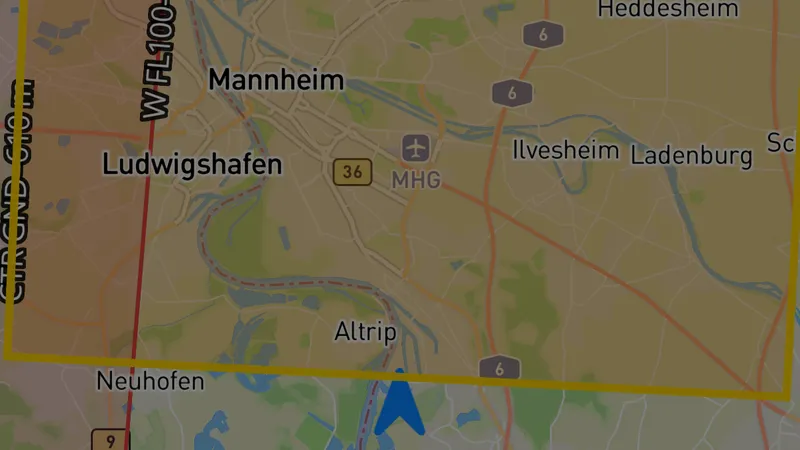
Airspace warnings for paragliding
Airspace Warning System – Fly safer than ever before
You know the feeling: you’re climbing in a great thermal, gaining altitude metre by metre, and suddenly you wonder – wasn’t there a control zone somewhere? A nature reserve? A military restricted area?
With Version 6.5, that nagging uncertainty is a thing of the past. Vario One gets a complete airspace warning system that shows you in real time where you are – and warns you in time before you enter restricted airspace.
Airspace infringements can mean licence suspension, heavy fines, and in the worst case dangerous encounters with aircraft. With the new warning system, accidentally entering restricted areas belongs to the past.
Real-time OpenAIP Airspace Data
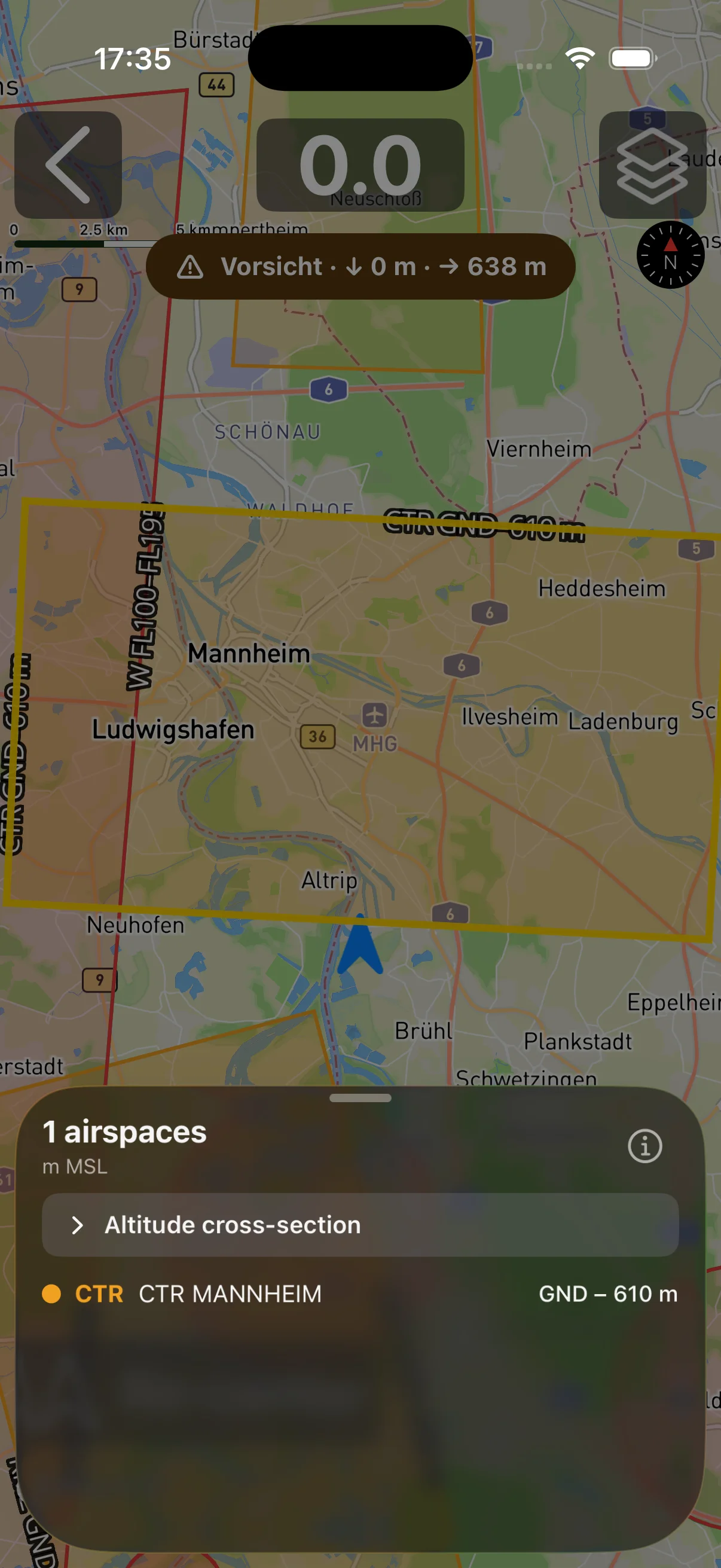
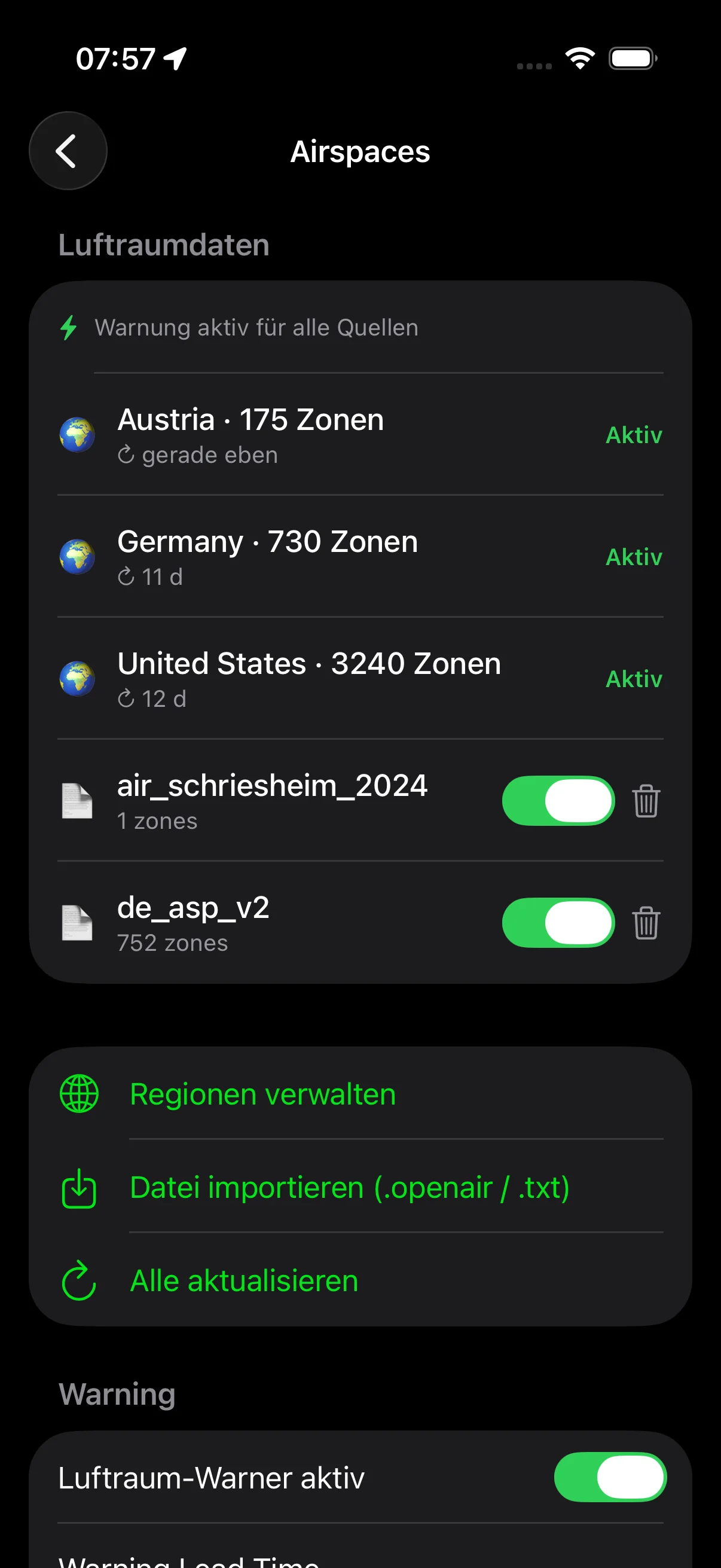
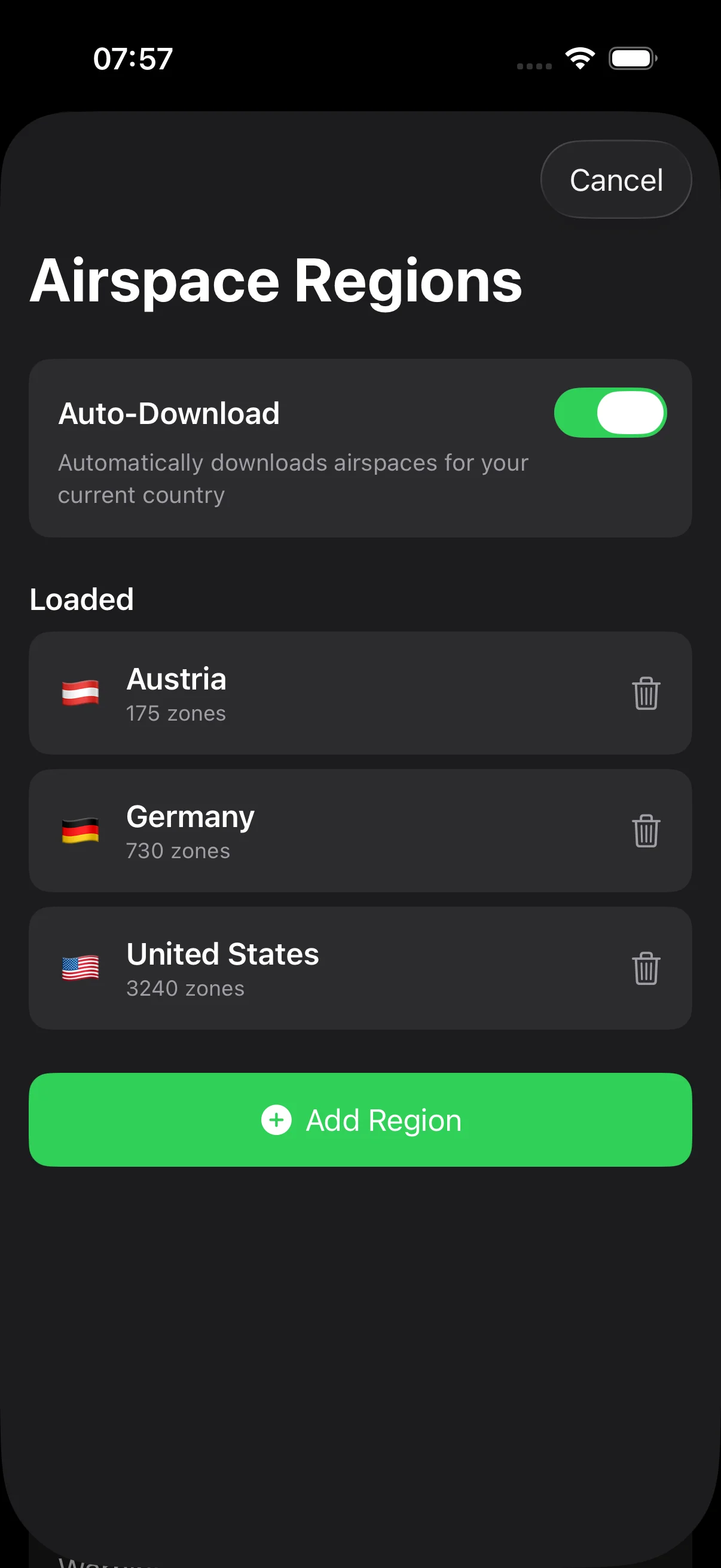
The foundation of the new system is OpenAIP airspace data – one of the most comprehensive and up-to-date sources for airspace data in Europe and worldwide. Vario One downloads this data directly and displays it on the map:
- All relevant airspace classes – from A to G, including control zones, restricted areas, danger areas and nature reserves
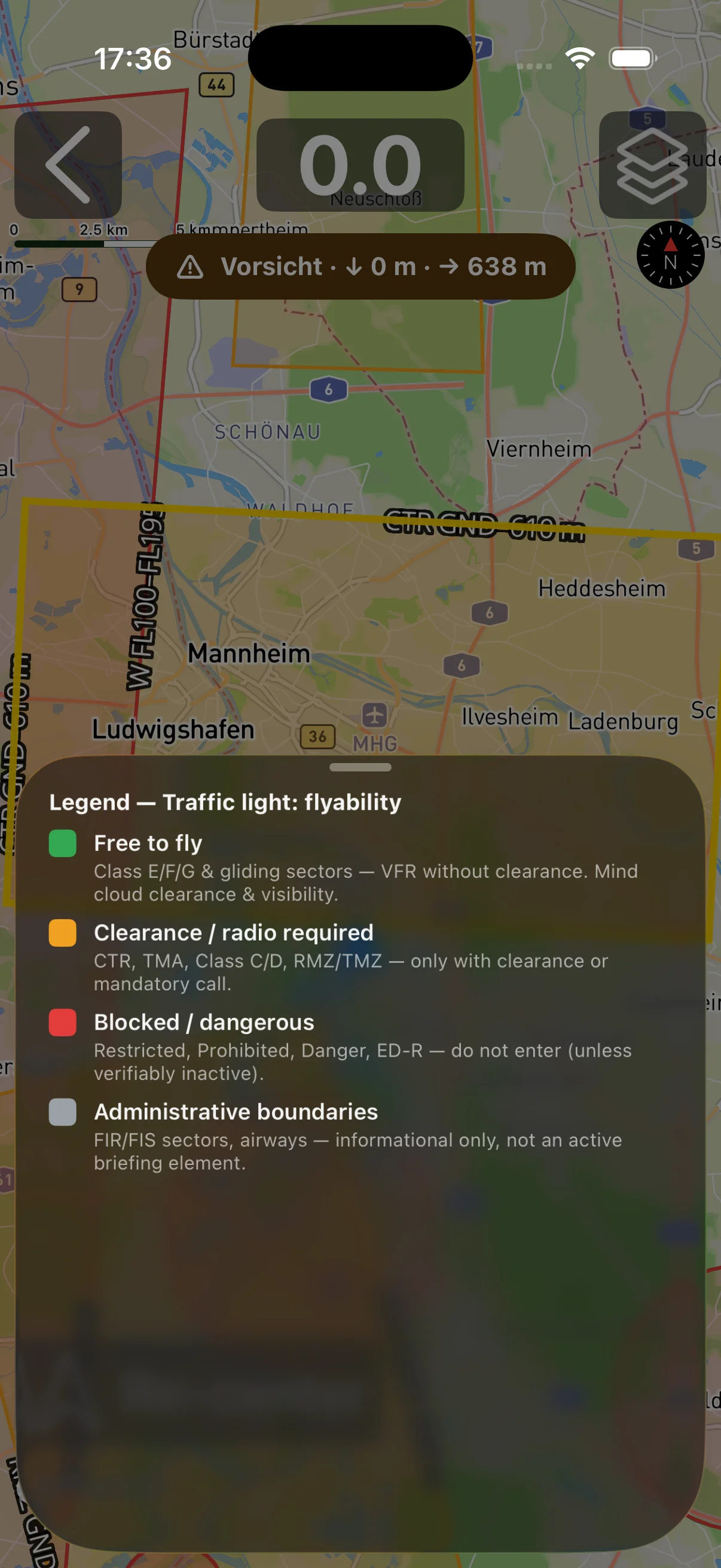
- Colour-coded display – instantly see which class an airspace belongs to
- Automatic updates – data stays current without any action from you
- Offline availability – downloaded airspace data is available even without mobile coverage
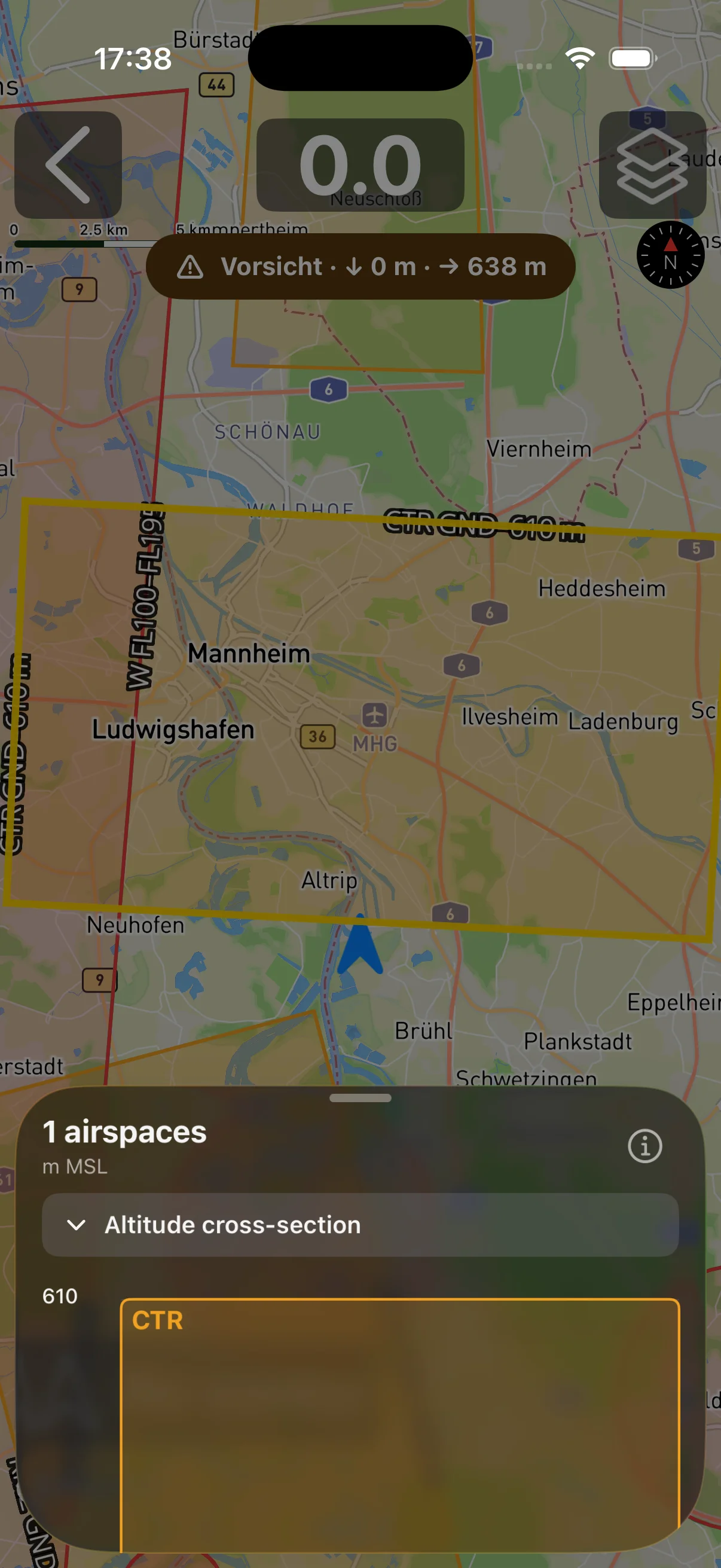
The map shows not only the horizontal extent of airspaces but also their vertical boundaries. At a glance, you can tell whether an airspace is relevant at your current altitude.
Voice Alerts for Airspace Approach
Checking the screen to see whether you’re approaching an airspace? Not a great idea while flying. That’s why Vario One uses automatic voice alerts that keep you informed without taking your eyes off your surroundings.
As you approach an airspace, you hear a clear, easily understandable announcement:
- Name of the airspace – e.g. “Control Zone Munich”
- Airspace class – so you know what the restriction means
- Estimated time to the boundary – based on your current flight direction and speed
Voice alerts work even when the vario sound is active – the announcement is briefly brought to the foreground and then seamlessly continued.
Automatic Warnings with Altitude Cross-Section
What makes the Vario One warning system special is the altitude cross-section: instead of only measuring the horizontal distance to an airspace, Vario One also calculates whether your current climb rate would take you vertically into an airspace.
Imagine: you’re flying 500 metres below a control zone, but climbing at 3 m/s. The system calculates that you would penetrate this zone from below in a few minutes – and warns you before that happens.
The altitude cross-section in the warning shows you:
- Your current altitude and the airspace boundaries in an easy-to-read graphic
- The projected flight path based on your climb rate
- The critical moment when you will reach the boundary
Snoozable Alerts – Put Warnings on Pause
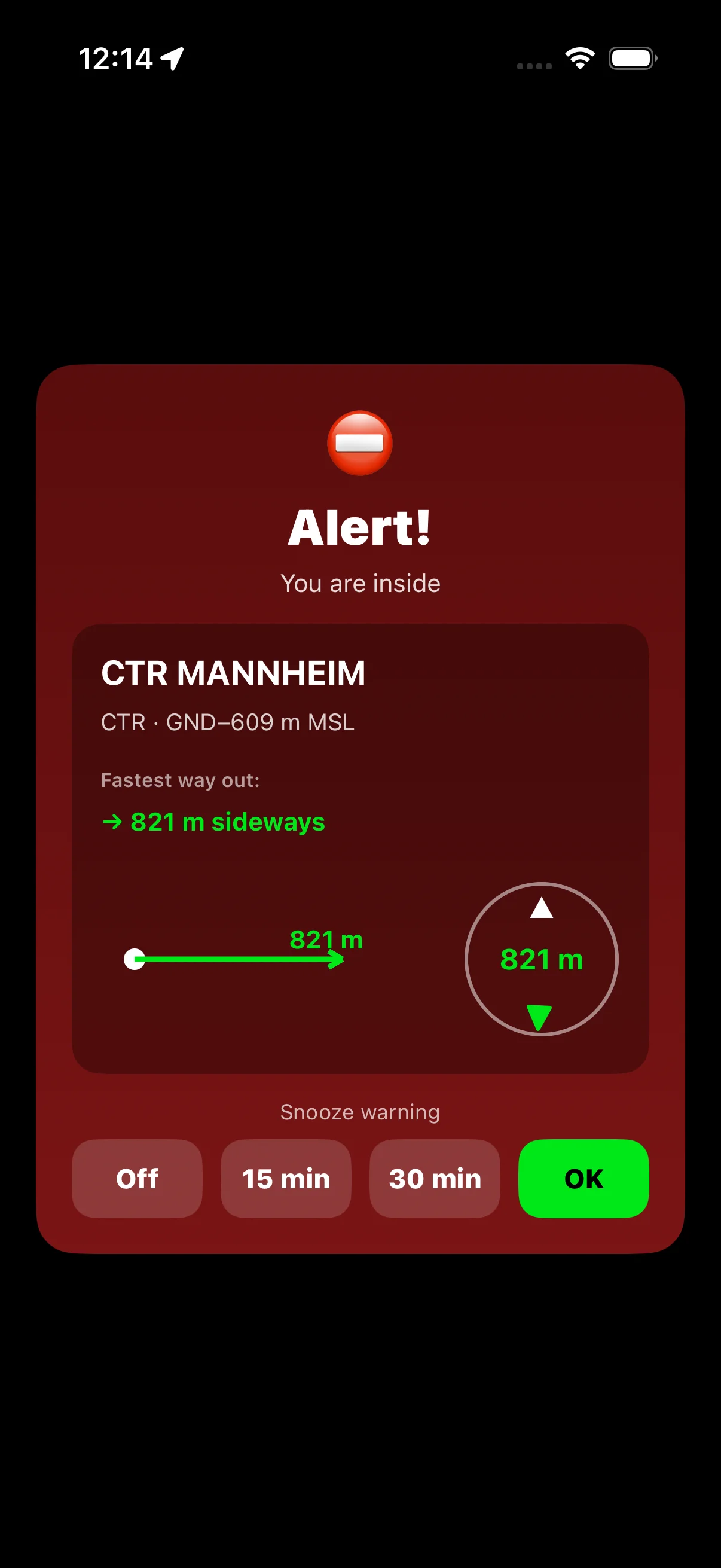
Sometimes you deliberately fly close to an airspace. Thermal cores are often right where control zones begin. A constantly repeating warning would be nothing but a distraction in that case.
With the new snooze function you can temporarily pause a warning:
- Warning appears – you’re informed
- Tap “Snooze” – the warning pauses for a few minutes
- You concentrate on the flight without being distracted
- After the snooze period, the system re-evaluates – if the situation is still relevant, the warning comes back
The snooze system is intelligent: it respects your decision, but still brings back a warning if the situation becomes more critical.
ETA-Based Escalation
Not every approach to an airspace is equally urgent. An airspace 20 minutes away demands different attention than one 90 seconds away.
The new ETA-based escalation system adjusts the intensity of the warning accordingly:
| Time buffer | Warning level | Feedback |
|---|---|---|
| > 5 minutes | Information | Subtle display, quiet announcement |
| 2–5 minutes | Warning | Clear display, distinct announcement |
| < 2 minutes | Urgent | Prominent display, urgent announcement, vibration |
The ETA calculation takes into account not only the horizontal distance but also your current airspeed, direction and – for vertical boundaries – your climb rate. The result is a system that warns as early as necessary – and interrupts as rarely as possible.
OpenAir Import/Export
Have your own airspace files for your region? With the new OpenAir import/export you can load any airspace data into Vario One:
- OpenAir format – the standard for airspace files in paragliding
- Import via file picker – directly from within the app
- Export – export custom airspaces or combinations
This is especially useful for areas not yet fully covered by OpenAIP, or for nationally specific airspace structures.
New Vario Support
Version 6.5 significantly expands the list of supported varios. Three new manufacturers are added – all connected via BLE (Bluetooth Low Energy), with no pairing hassle.
Skytraxx BLE Vario
Skytraxx devices are very popular among European paraglider pilots. Seamless BLE integration means:
- Automatic detection and connection
- Real-time transfer of variometer data
- Vario One sounds based on the external sensor data
Mipfly (MipBipX, MipTrack)
The compact Mipfly devices are known for their precision and long battery life. Both models – MipBipX and MipTrack – are now supported by Vario One.
Stodeus (BlueBip, UltraBip)
Stodeus offers two high-quality BLE varios with BlueBip and UltraBip, both now fully integrated. The connection is stable and reliable, even over longer flights.
With this new version, Vario One now supports more external varios than ever before – from Bluetooth to BLE, from compact clip-ons to full-featured flight computer varios.
QNH Quick-Sheet – Barometric Altitude Under Control
Barometric altitude is critical for many flying areas and airspace classes. With the new QNH Quick-Sheet, everything you need for correct altitude calibration is directly in Vario One:
- Display current QNH – the atmospheric pressure at sea level that determines barometric altitude
- Quick calibration – adjust the altitude reading to the current pressure in just a few taps
- Direct access from FlightView – no more digging through settings
iPhone Orientation Lock
Do you prefer flying in landscape mode? Then you know the problem: the iPhone rotates the display when you bank during a circle. Annoying.
Landscape-Lock Button
With the new Landscape-Lock Button, you fix the orientation with a single tap. The button appears directly in the FlightView – no system settings, no swiping, no distracting manoeuvres. One tap, landscape locked, done.
Redesigned FlightView Icons
At the same time, we’ve overhauled the FlightView. The icons are now more compact and clearer – more information in less space, without sacrificing readability. The difference is especially noticeable when flying in landscape mode.
Vario Tuning – More Control Over Your Sound
Climb Threshold Down to -0.5 m/s
Previously, the vario tone could start no earlier than 0 m/s. With Version 6.5, you can lower the climb threshold down to -0.5 m/s. This means: the vario beeps even while you’re still sinking slightly – but much less strongly than without thermal. For many pilots, this feels more natural because thermals often first announce themselves as slowed-down sinking.
New Kalman Filter for Barometer and IMU Fusion
The data fusion between barometer and motion sensors is now even more precise. A revised Kalman filter provides better balance between:
- Fast response to short-term climb and sink events
- Stable long-term accuracy from the barometer
The result is a vario signal that neither overshoots nor responds sluggishly – a noticeable difference especially in turbulent air.
Further Fixes and Improvements
More Reliable Bluetooth Reconnect
Bluetooth connections to external varios can drop during a flight – due to obstacles, interference or brief signal loss. The improved reconnect mechanism restores the connection faster and more reliably, without any action from you.
Layout Fixes for Smaller Devices
On smaller iPhones – especially the iPhone SE – there have occasionally been layout issues in the past. These are fixed in Version 6.5. All views are now correctly displayed on smaller screens too.
Light Mode as Default
By popular request, Light Mode is now the default on first installation. Those who prefer Dark Mode can still switch without issue – but the first impression is now brighter and more readable in sunlight for many pilots.
Everything New at a Glance
Airspace Warning System:
- Real-time OpenAIP airspace data on the map
- Voice alerts for airspace approach
- Automatic warnings with altitude cross-section
- Snoozable alerts
- ETA-based escalation (Information / Warning / Urgent)
- OpenAir import/export
New Vario Support:
- Skytraxx BLE vario
- Mipfly MipBipX and MipTrack
- Stodeus BlueBip and UltraBip
QNH Quick-Sheet:
- Display and calibrate barometric altitude
- Direct access from FlightView
iPhone Orientation Lock:
- Landscape-Lock button in FlightView
- Redesigned, more compact FlightView icons
Vario Tuning:
- Climb threshold adjustable down to -0.5 m/s
- New Kalman filter for barometer and IMU fusion
Further Fixes:
- More reliable Bluetooth reconnect
- Layout fixes for smaller devices (e.g. iPhone SE)
- Light Mode as default
Flying is freedom – but freedom needs boundaries you know.
With the new airspace warning system, you always know where those boundaries are.