New in the web planner: comparison flights, FAI triangles and route sync
Plan on your laptop, fly with your phone
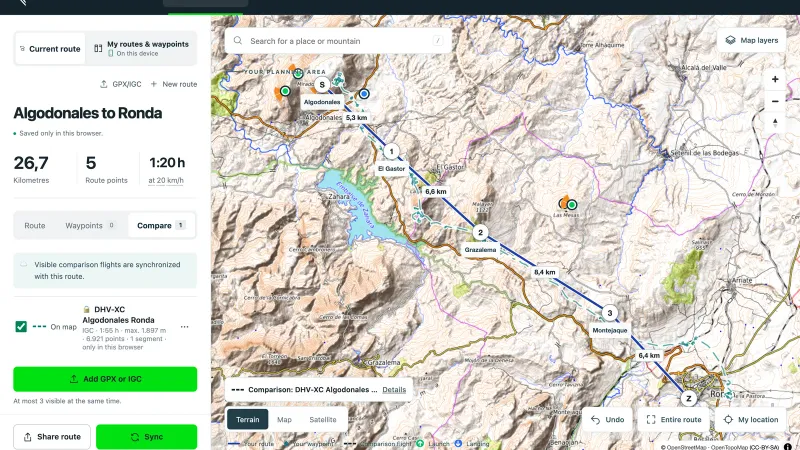
Flight planning on vario-one.com is now a full XC planner. You set launch, turnpoints and goal right on the map, plan FAI triangles and lay other pilots’ flights next to your route as a comparison. With a free account your planning goes into the Vario One app.
Route planning in the browser is already fully usable. The Vario One apps with route sync are currently in beta and will be on the App Store and Google Play soon.
Comparison flights: learn from the best
The new feature we are most excited about: download a flight from XContest or DHV-XC as an IGC file and add it in the “Compare” tab. The flight appears as a dashed line next to your route. You see where the other pilot climbed out and which line they chose.
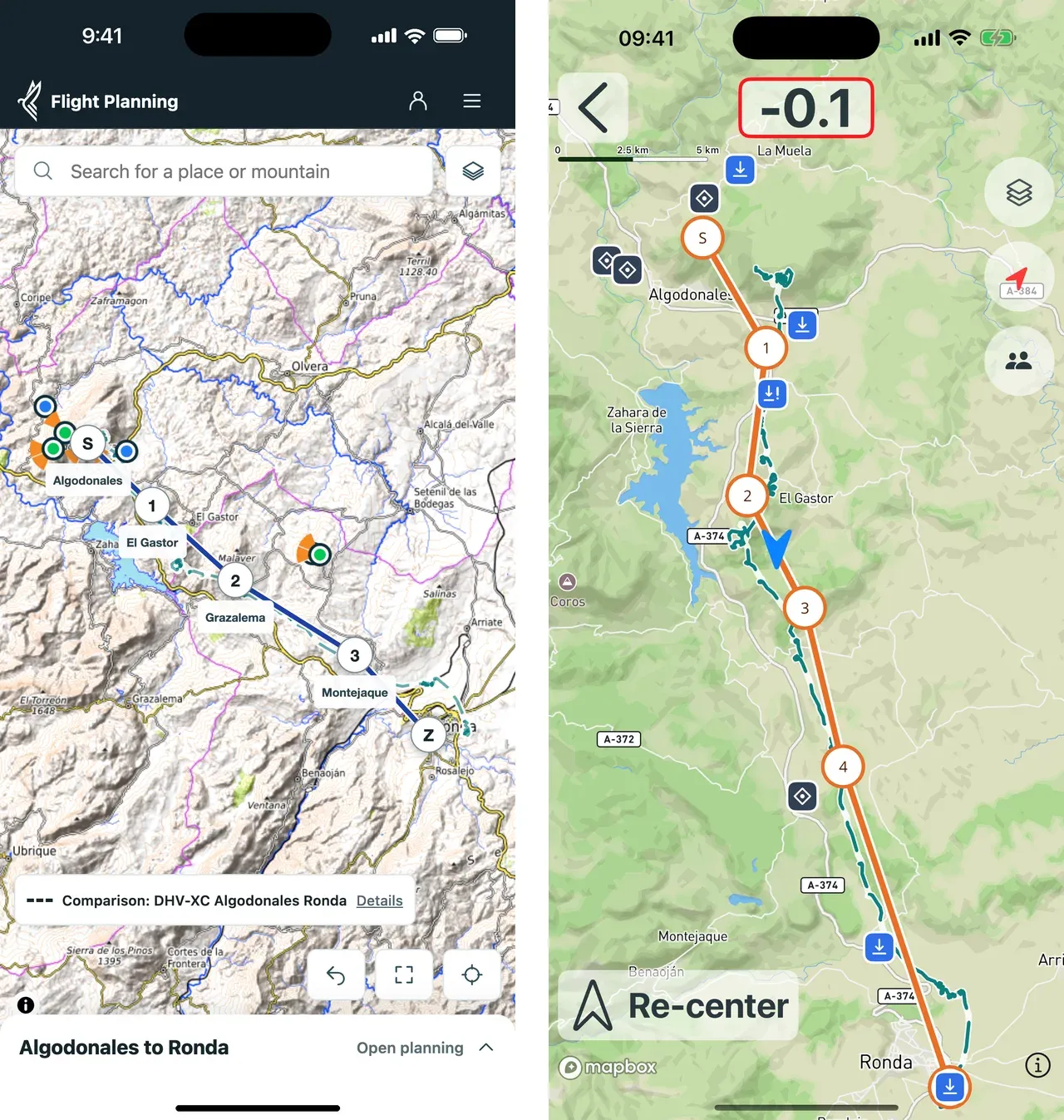
With route sync switched on, the comparison flight comes along into the app. In flight you have everything on one map: your plan, the other pilot’s line and your own track.
FAI triangles, launch sites and more map on your phone
- “Plan triangle” shows the FAI area for each corner, the share of each leg and the closing circles around launch.
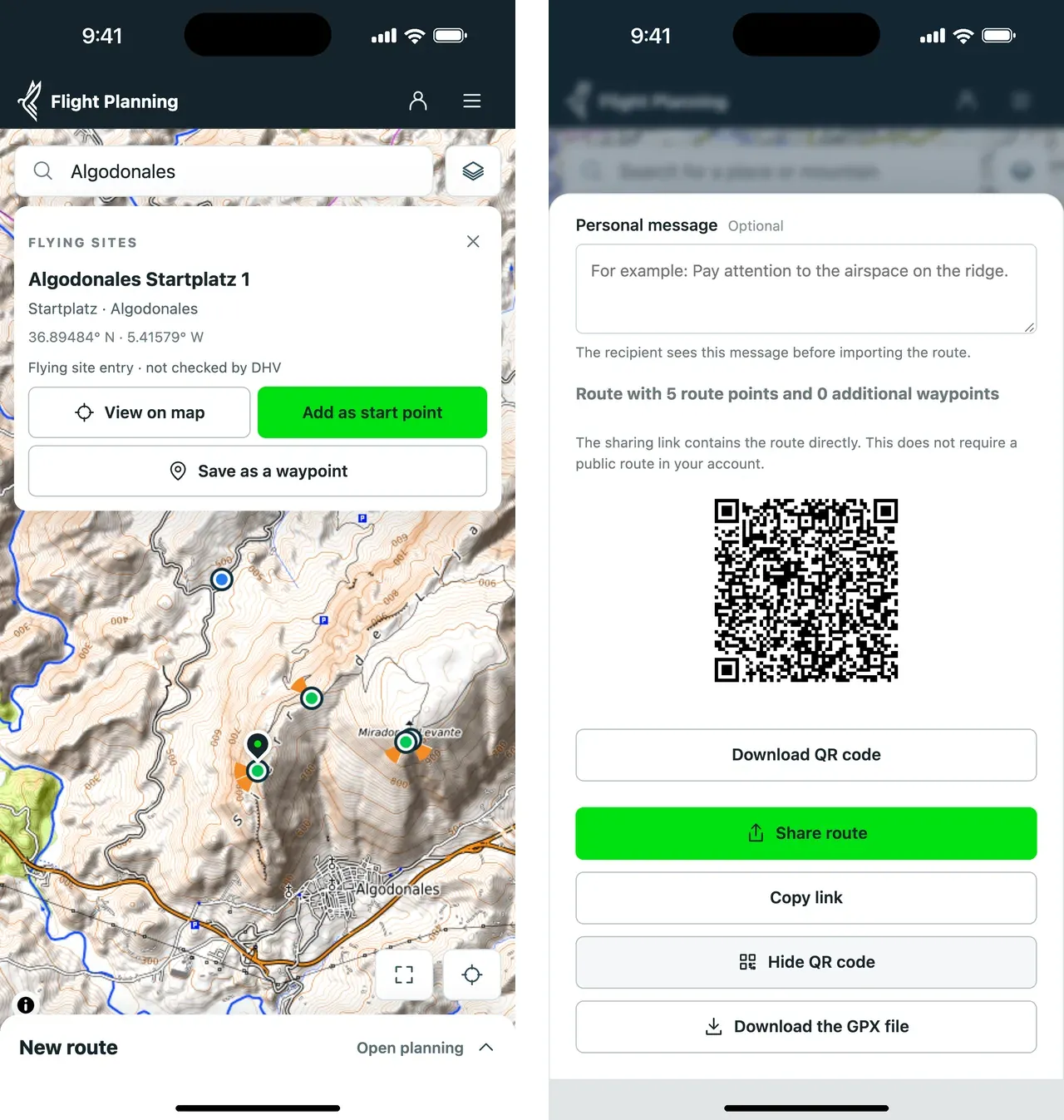
- Find launch sites in the search or tap them on the map and start your route there.
- On a smartphone the screen belongs to the map. The planning panel folds into a slim bar.
Share by QR code
With “Share route” you show your group a QR code at launch. They open the route in the browser and copy it with one tap. Nobody needs the app or an account for that. You can also send the link by messenger or email.
How your route gets into the app
- Create a free account: enter your email, confirm the code, no password.
- Switch on route sync: in the planner, with one tap.
- Open the Vario One app and sign in with the same account.
Whatever you save to your account now is available right after the app update.
All features, step-by-step guides and frequently asked questions are on the XC flight planner page.
Try it now
Before every flight, check route, weather, airspace, terrain and local rules yourself. The data shown may be incomplete or out of date.
Got ideas for what flight planning is still missing? Let us know.