Buddy Flying
Flying with friends
Paragliding is best shared. With Buddy Flying you see your group's live positions right on the map – who's circling where, how high, how strongly they're climbing and how far away they are. Stay together in the air and find the best lift as a team.
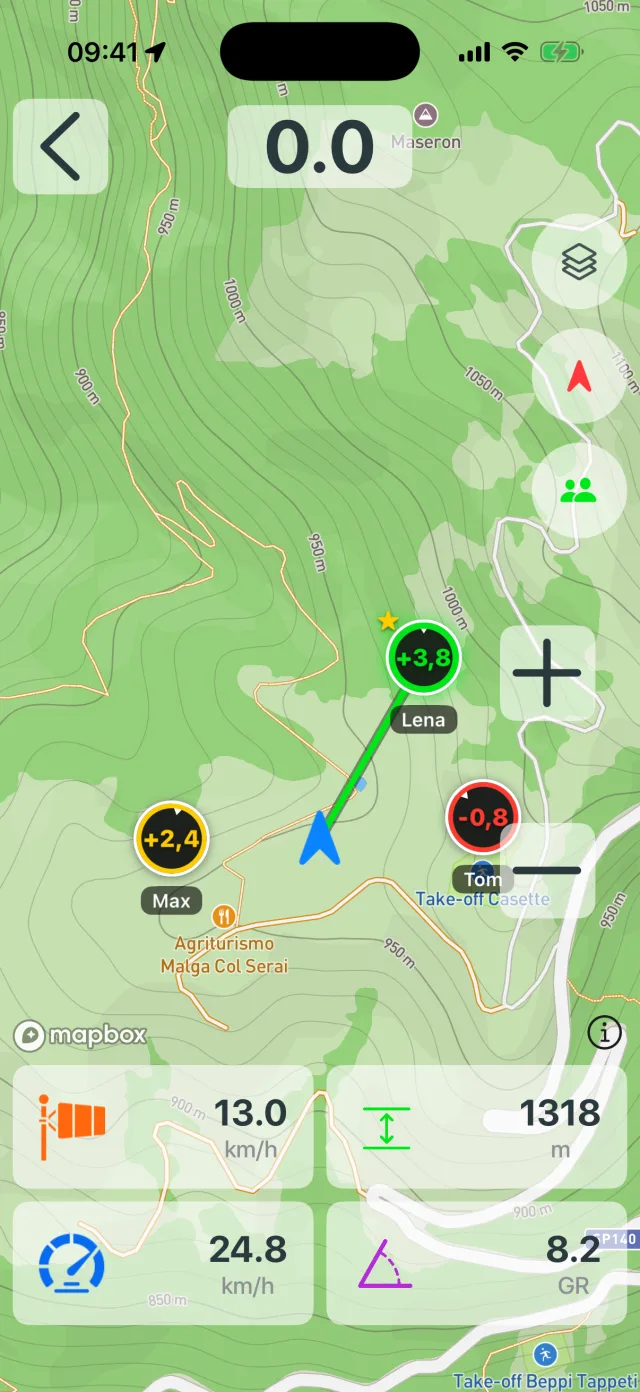
Your group live on the map
Every pilot in your group shows up as their own marker on the map – with a name, heading and a line connecting them to you. One glance tells you where your friends are flying.
Each buddy carries the numbers that matter: current altitude, climb rate and distance to you. No radio, no scanning the sky – just look at the map.
Who's climbing best?
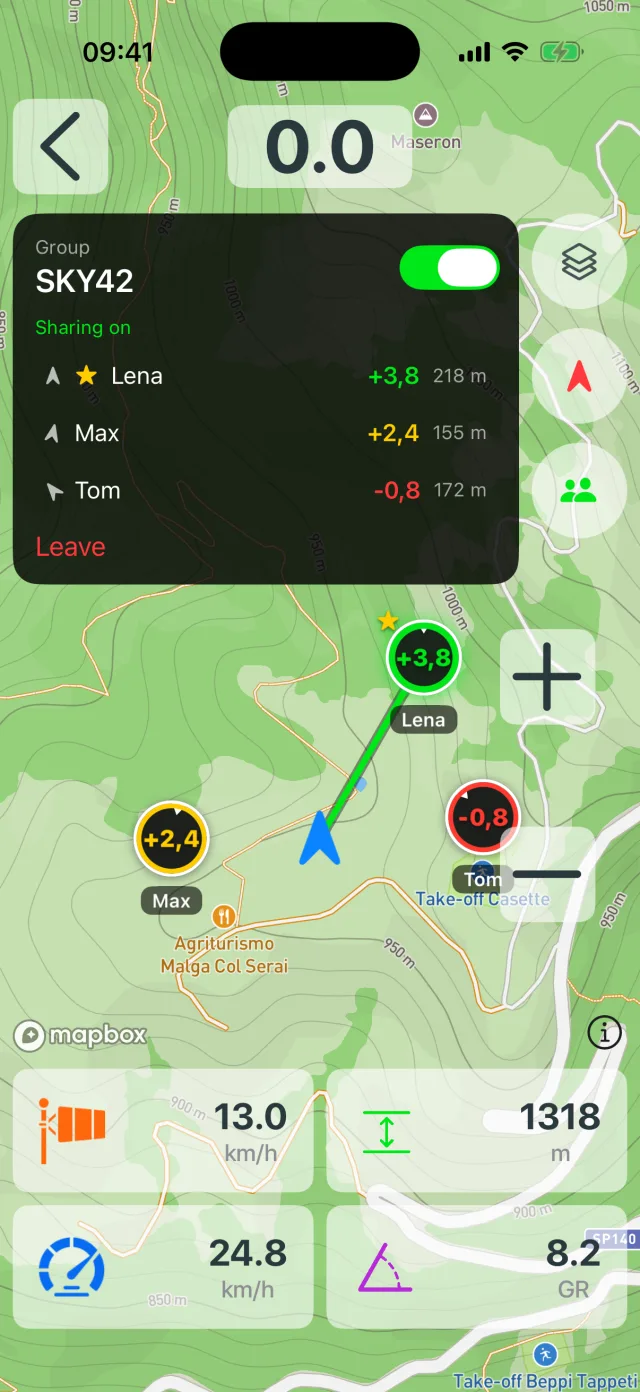
Buddy Flying is a thermalling aid too. The member list is sorted by climb rate, and the pilot in the strongest lift is marked with a ★ – just head that way.
Coloured rings tell you instantly who's climbing better relative to you: green climbs stronger than you, yellow about the same, red weaker. You find the thermals as a team.
- List sorted by climb – the strongest climber on top
- ★ marks the best lift in the group
- Green / yellow / red: climb relative to your own
Private and secure
Buddy Flying is not a public tracking platform. You create a group and share the code only with the friends you want flying with you. If you don't have the code, you're not in.
Positions are transmitted encrypted over a direct connection (AES-256). Leave the group or turn sharing off and it stops – no public flight history is created.
One team, all devices
Your group can be mixed: iPhone and Android share the same buddy group. Everyone flies with the device they have and still sees everyone else.
Buddy Flying is included in Vario One – all you need is a free Vario One account, no extra subscription. Thanks to compact transmission, data use is minimal and shown to you in the app.
Buddy Flying – frequently asked questions
How do I start a buddy group?
In the map view, tap the buddy icon and create a group. You get a short code to give your friends – they enter it and are in immediately.
Does it work between iPhone and Android?
Yes. Buddy Flying is cross-platform. iPhone and Android can fly together in one group.
Does Buddy Flying cost extra?
No. Buddy Flying is included in Vario One. All you need is a free Vario One account.
How much mobile data does it use?
Very little. Positions are sent once a second over a compact, encrypted connection. Your current usage is shown right in the buddy panel.
Fly together now
Download Vario One and take your flying group into the air.