Free XC planner for paragliding and hang gliding
Plan your cross-country flight with Vario One
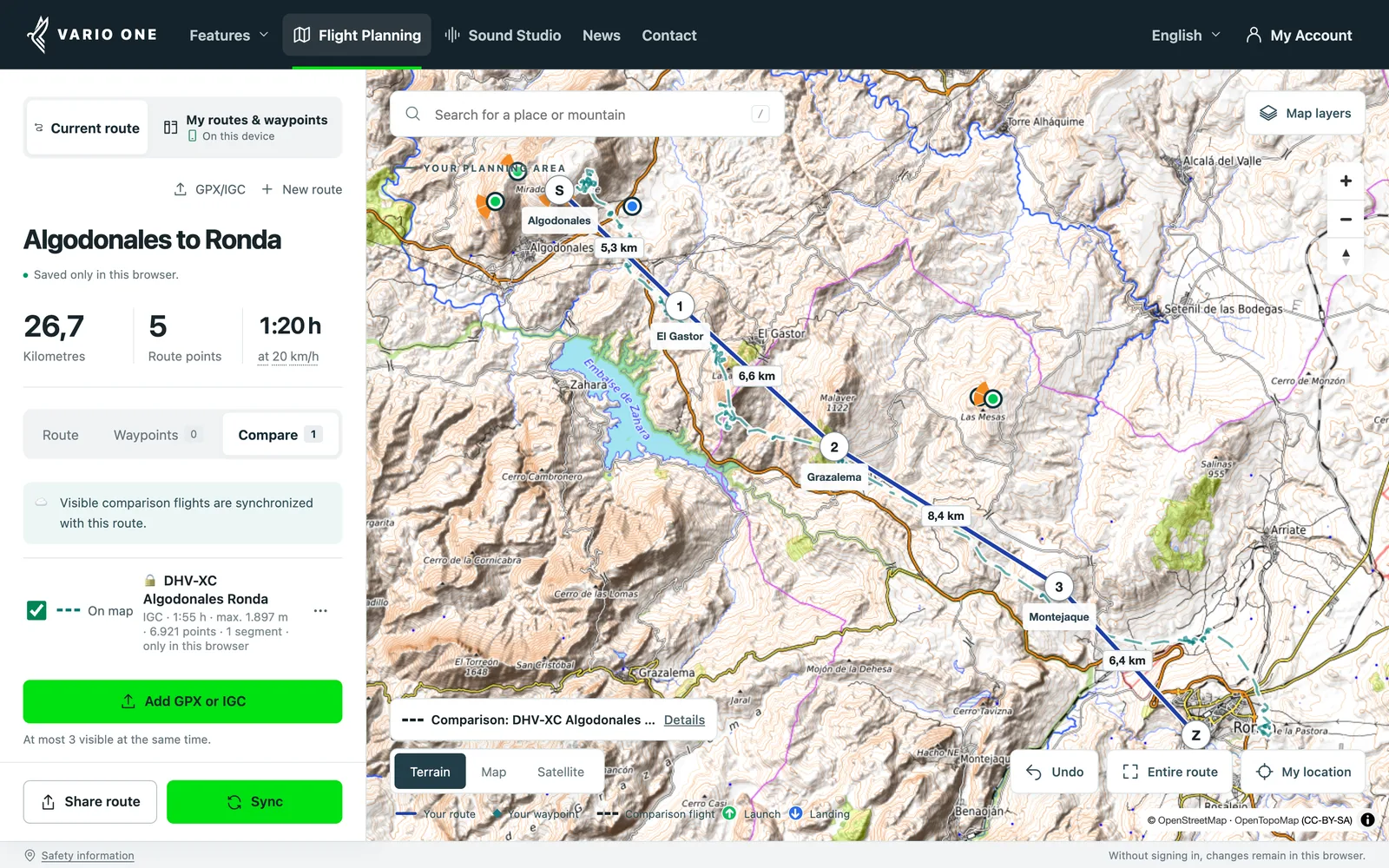
Plan your route right in the browser. Lay a real flight from XContest or DHV-XC next to it and see which line other pilots took. Set your turnpoints, plan FAI triangles and share the route at launch with a QR code.
Free and no sign-up needed. With a free account you take your planning into the Vario One app.
Why pilots plan with it
Learn from the best
Load a flight from XContest or DHV-XC as an IGC file and lay it next to your route. You see where the pilot circled and which line they flew.
Your plan flies with you
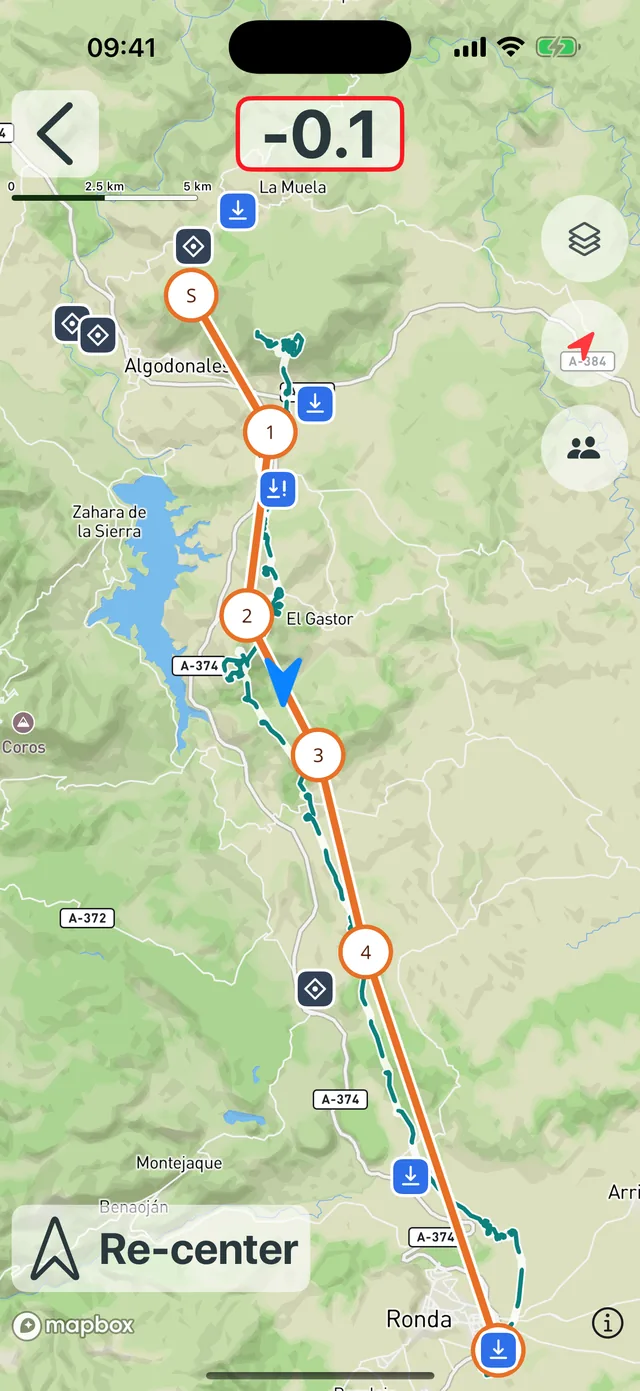
Route, waypoints and comparison flight arrive in the Vario One app. In flight you see your plan, the other pilot’s line and your own track on one map.
FAI triangle at a glance
FAI areas, leg shares and closing circles show you instantly whether your triangle works. No maths needed.
Share at launch
Show the QR code and your group has the route on their phones. No app and no account needed.
Comparison flights
Learn from the best: comparison flights next to your plan
A good flight tells you more than launch and goal. Where did the pilot climb out? Which side of the ridge did they take? Where does their line differ from your planned route?
XContest and DHV-XC have flights for almost every well-known flying site. Download one as an IGC file and lay it next to your route as a dashed line. That way you don’t plan blind, you plan along a flight that has already worked at this place.
- 1Pick a flight you want to learn from on XContest or DHV-XC and download the IGC file.
- 2Open the “Compare” tab in the planner.
- 3Choose the file. The flight appears as a dashed line next to your route.
Up to three comparison flights can be visible at once. The file itself is not uploaded. With sync switched on, the visible comparison flights go to the app together with your route.
Try a comparison flight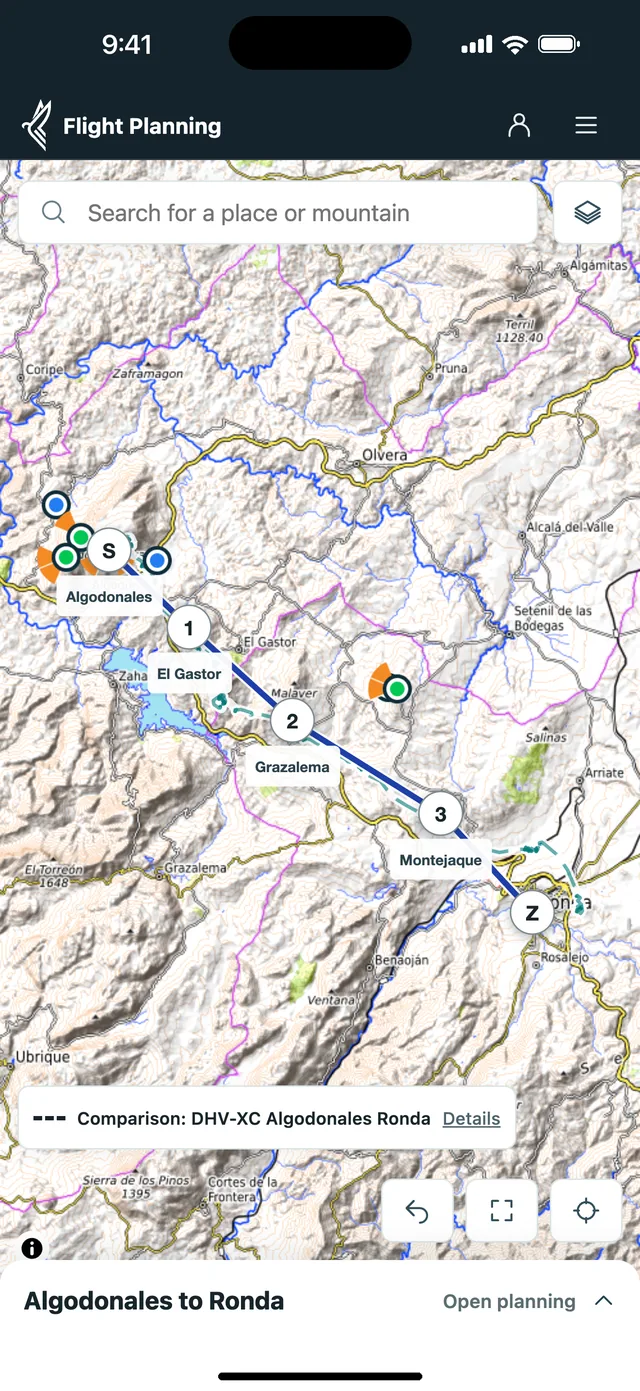
Vario One app
In flight: your plan, the comparison flight and your own track
Prepare on the big screen, find it again in the air. With route sync, your route, your waypoints and the visible comparison flights go to the Vario One app.
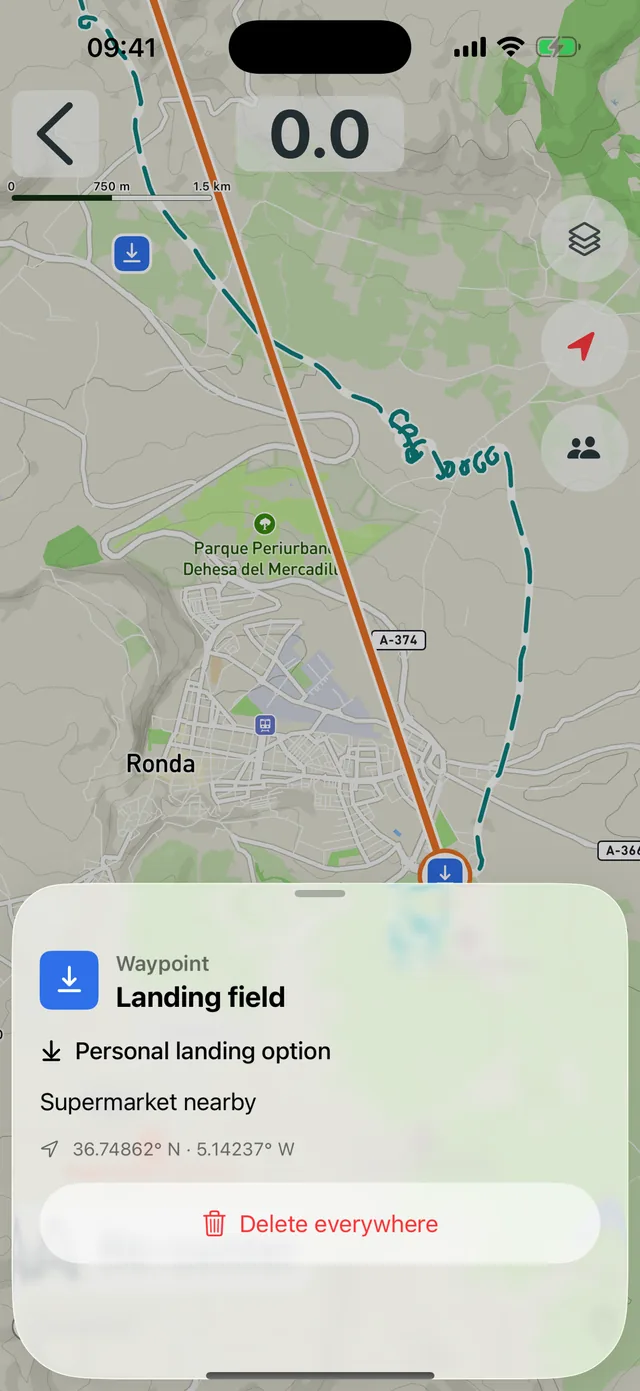
In flight everything is on one map: what you planned, what the other pilot did and how you are doing right now. Your own waypoints show up with your notes, for example a landing field with “Supermarket nearby”.
- 1Plan your route in the browser.
- 2Create a free account: enter your email, confirm the code, no password.
- 3Switch on route sync in the planner.
- 4Open the Vario One app and sign in with the same account.
Route planning in the browser is already fully usable. The app version with route sync is in beta and will be available for download on the App Store and Google Play soon.
FAI triangle
Plan an FAI triangle without doing the maths
Switch to “Plan triangle”. The planner finds corners A, B and C and shows the length of each leg and its share of the triangle. For each corner you can show the FAI area on the map, so you see right away where a turnpoint has to go for every leg to reach 28 %.
The 20 % and 5 % closing circles around launch show how far from your start you may land at the end. The planner uses the World XContest 2026 rule profile. The values are a planning aid, not an official score.
Plan your triangle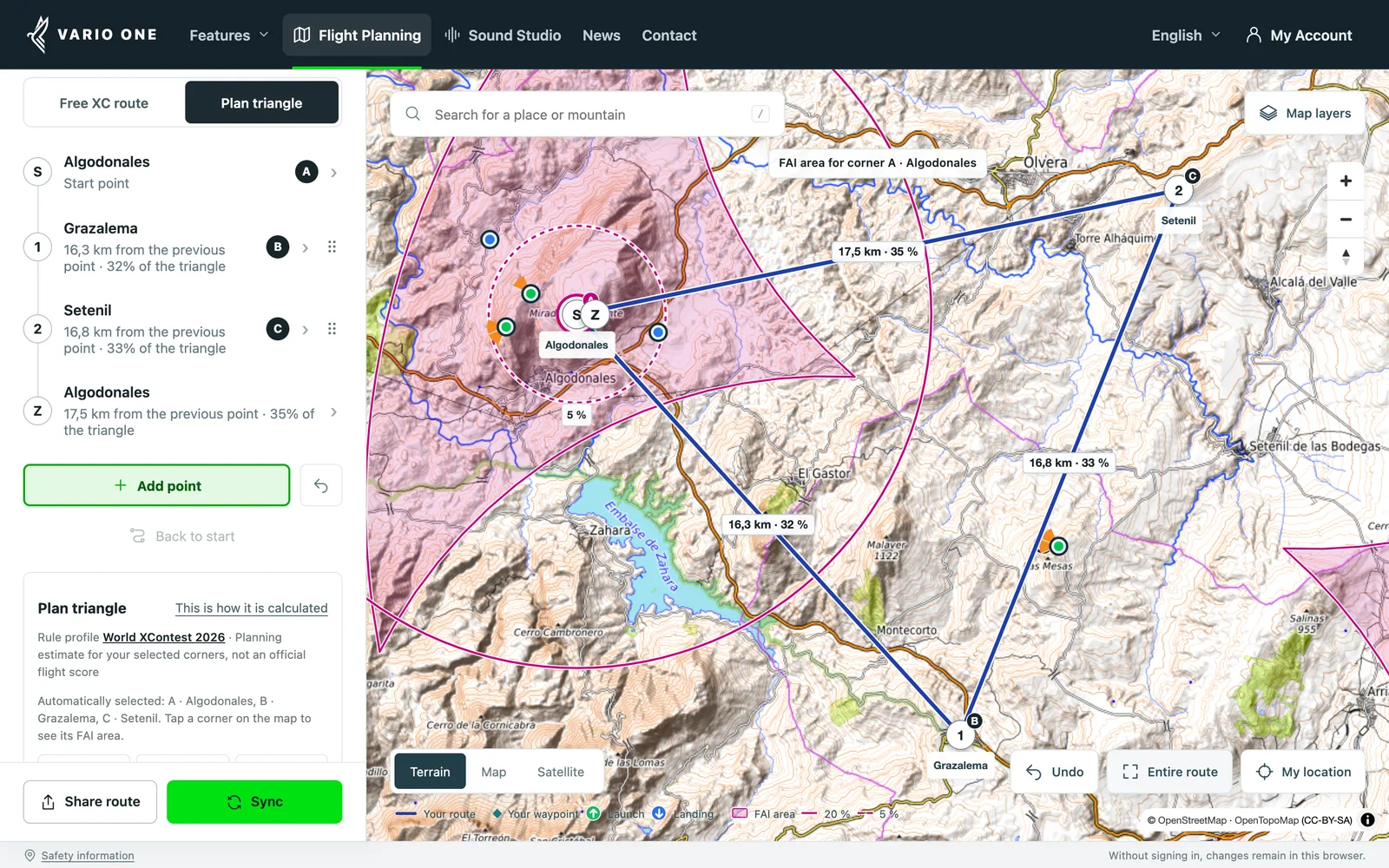
Route planning
Draw a free route on the map
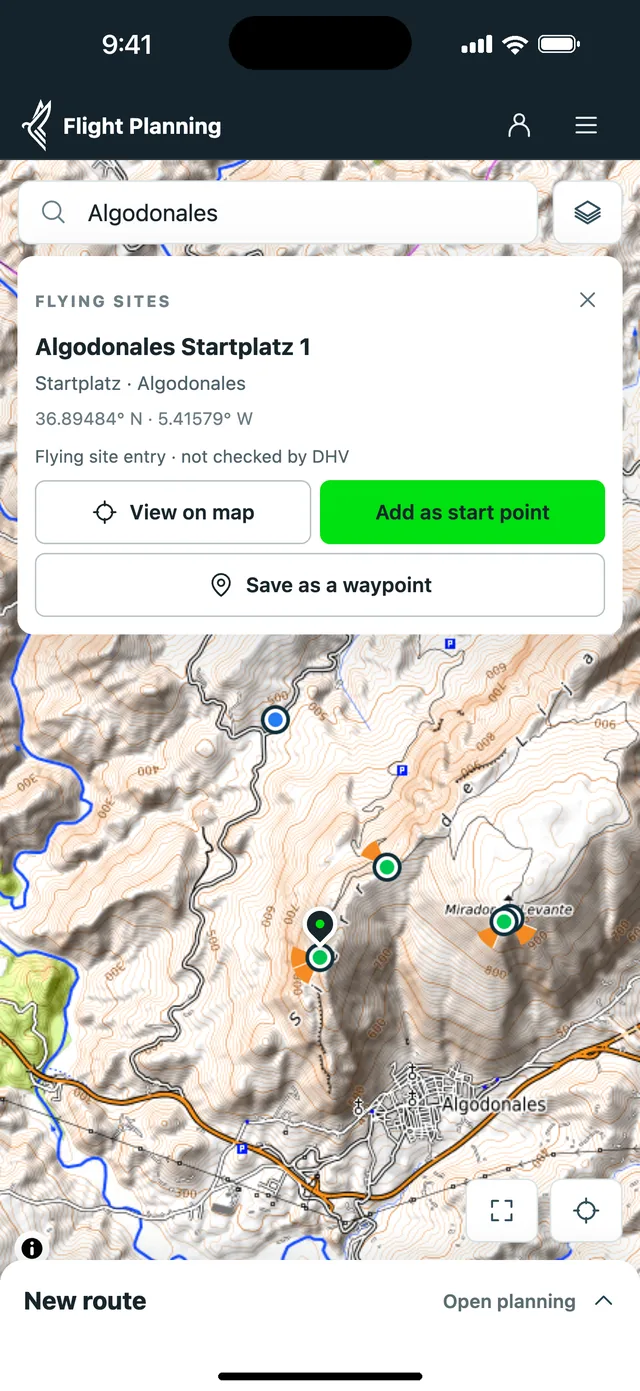
Search for your launch or tap it on the map and start your route there. You set turnpoints and goal right on the map and instantly see the distance and a rough flight time at your average speed.
On a phone the screen belongs to the map. The planning panel folds into a slim bar, and you zoom with two fingers.
- Terrain, street and satellite maps
- Launch and landing sites, airspace and KK7 thermals as map layers
- Your own waypoints with notes: landing fields, meeting points, pick-up spots
- Import routes from GPX files
Sharing
Share your route at launch with a QR code
Open “Share route” and show your group the QR code. They scan it with their phones, see the route and your message in the browser and copy it into their own planning with one tap.
Nobody needs the Vario One app or an account for that. You can also send the link by messenger or email, and add selected waypoints of your own, such as the landing field.
With your free account the link gets short enough for any message.
Plan and share a route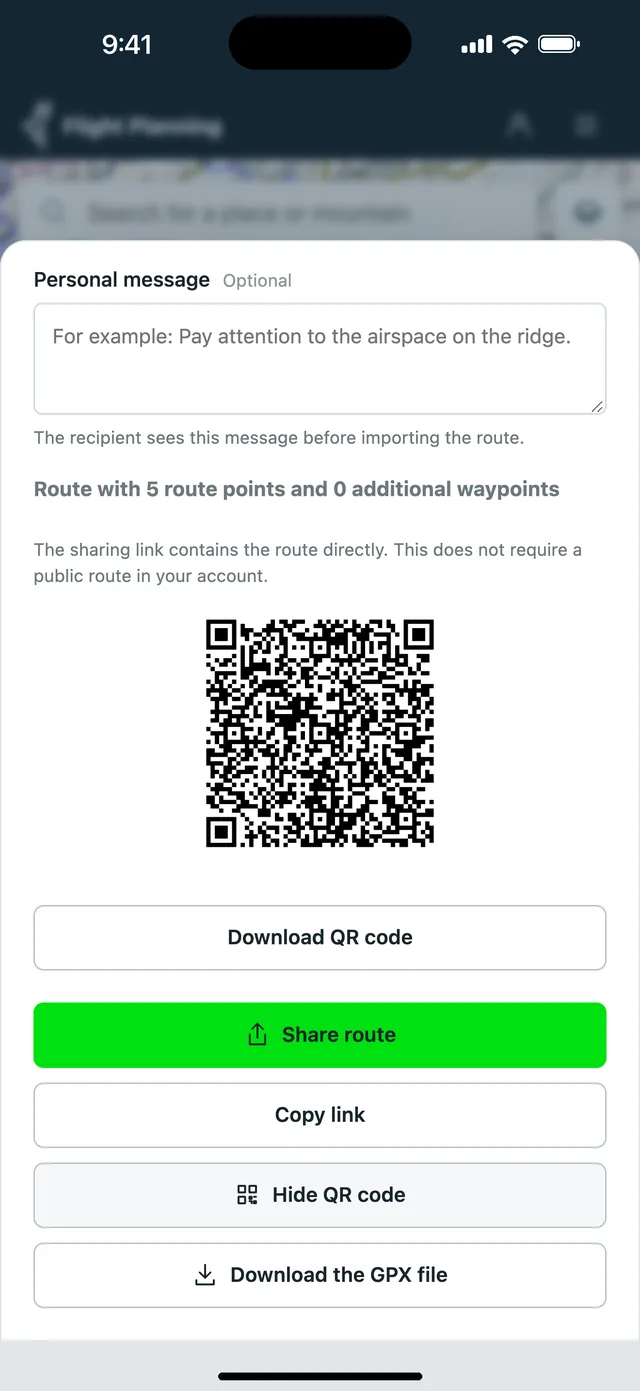
Frequently asked questions about XC flight planning
Is the XC planner free?
Yes. You plan for free in the browser and can start without an account. The Vario One account is free too. The Vario One app itself is offered on the App Store and Google Play.
How do I load a flight from XContest or DHV-XC as a comparison?
Open the flight on the portal and download the IGC file if the portal offers it. Some portals require you to be signed in. In the planner, open the “Compare” tab and choose the file. The flight appears as a dashed line next to your route.
Do I see the comparison flight in the app too?
Yes. With route sync switched on, up to three visible comparison flights go to the Vario One app together with the route. Very long recordings are simplified for this.
How does the planner help with an FAI triangle?
In “Plan triangle” mode you see the length of each leg, its share of the triangle and the FAI area for each corner. The World XContest 2026 rule profile requires at least 28 % per leg. The planner also shows the closing circles around launch. The values are a planning aid, not an official score.
Can I share a route by QR code without an account?
Yes. Link and QR code work without an account, for the people you share with as well. With an account the link gets shorter.
Can I plan on my phone too?
Yes. The planner runs in the mobile browser. The planning panel folds away so the map gets the screen. Hang glider pilots plan their routes with it as well.
Where is my planning saved?
Without signing in, it stays in your browser. If you clear the site data, it is gone. With a free account you keep routes and waypoints safe and have them on all your devices.
How accurate is the flight time shown?
It is a rough estimate: distance divided by the average speed you set. Wind, thermals and waiting time are not included.
Can I plan a competition task with it?
Not yet. So far the planner is made for free routes and triangles. Start gates, turnpoint cylinders and competition scoring are not there yet. If there is demand, we will build it. Feel free to write to us through the contact form.
Go to the contact form →Plan your route now
Open the planner and set your first point. You only need an account once you want to take your planning into the app.
Plan a route for freeBefore every flight, check weather, airspace, terrain and local rules yourself. The planning aids do not replace your flight preparation.