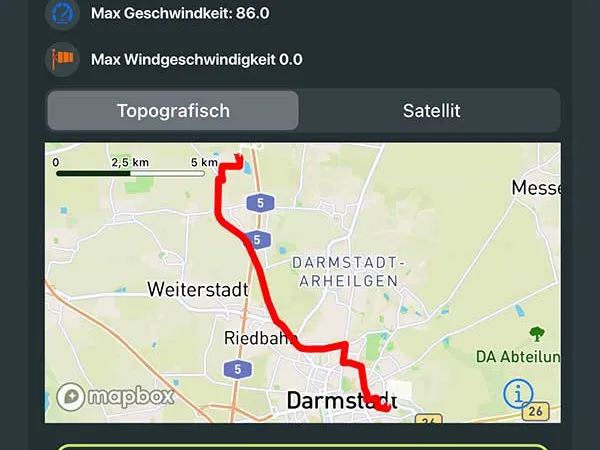
New Release 1.15 | Vario One displays GPX track on map
Display flights on the map
With Release 1.15 you can now view your recorded flights directly on a map. Whether the flight was recorded with Apple Watch or iPhone – the flight route is displayed clearly.
Apple Watch and iPhone record independently
Both the Apple Watch and the iPhone record GPS tracks independently and save them to the electronic Flight Logbook:
- Only Watch? – No problem, the Watch records completely
- Only iPhone? – Works the same way
- Both devices? – Each device records independently
You only need to have one of the two devices with you when flying – both provide complete recordings.
A new perspective on your flights
The map view gives you a completely new perspective on your flights:
- Where did you find thermals? – See the circles on the map
- How tight were your circles? – Analyze your centering
- What distance did you cover? – Visualize your entire flight
- Where were you highest? – Identify the best thermal areas
This is not only useful for analysis, but is also simply fun.
Share as GPX track
Your flights can be exported and shared as GPX tracks:
- Open in other apps
- Send to friends and family
- Archive on the computer
Device switch in 2 clicks
When you switch to a new iPhone or a new Apple Watch:
- Register again with 2 clicks
- All flights are transferred automatically
Nothing is lost – your entire Flight Logbook moves with you.
Preview
This map function is just the beginning. In three weeks, a comprehensive map feature will arrive that will further improve your flying experience.